Updated August 4, 2026
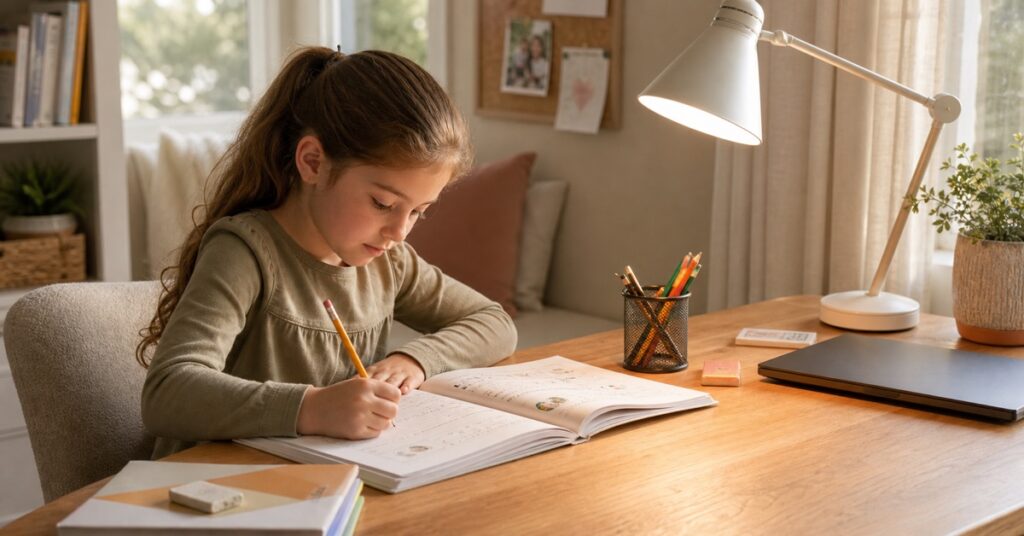
A worksheet is open, the Chromebook is on, and your child’s pencil throws a shadow across the answer box. That is the desk-lamp problem that matters.
When I think about my daughter’s homework space, I care less about advertised “study modes” than four simple things: Can the light reach the page? Does her writing hand block it? Does it reflect in the screen? Is there still room for her elbows?
Those questions make this a surprisingly short list.
Quick answer: For a compact permanent desk, start with the Honeywell H2. The O’Bright Astrum is the simpler warm-light option, while the Vekkia MST64 makes more sense as a portable backup.
The Best Desk Lamps for Kids at a Glance
| Product | Best for | Check before buying | Skip if |
|---|---|---|---|
| Honeywell H2 | A compact permanent homework desk | The light can reach the workbook from its listed 7.2-by-4.5-inch footprint | You need shared-desk coverage or fast USB-C charging |
| O’Bright Astrum | A simple warm-light desk setup | You have room for its 6.5-inch base and already use ambient room light | You need dimming, cooler light, or measured wide coverage |
| Vekkia MST64 | A dining table, trip, music stand, or temporary study spot | The clip fits the top and underside of the desk edge | You need a primary desk lamp or predictable battery runtime |
Do This 60-Second Homework Desk Fit Check First
The best lamp on someone else’s desk can be the wrong lamp on yours. Before ordering, put the books and devices on the desk exactly as your child uses them.
Measure the real free space.
Measure the remaining surface after the workbook, pencil case, and laptop are in place. A base does not fit merely because it fits on an empty desk.
Check the mounting edge.
For a clip light, measure the top thickness and look underneath. A drawer apron, crossbar, cable tray, sloped edge, or rounded tube can stop a clamp even when the published opening sounds large enough.
Run the writing-hand test.
Ask your child to write three lines. Start with the lamp opposite the writing hand—left side for a right-handed writer, right side for a left-handed writer—then move it until the hand and pencil no longer shade the words.
Look for screen glare.
Sit at your child’s eye height and open a dark page on the screen. If you see the lamp head or a bright patch reflected in it, change the lamp height, angle, or side.
Check coverage and direct view.
Open the largest workbook your child regularly uses. The useful area should be lit without the LEDs or bright bulb being directly visible from the normal sitting position.
Test stability and the cord path.
The base or clamp should stay put when the arm moves. Keep the cord out of chair wheels, drawers, walkways, and places where it will rub against the desk edge.
What the result means: Choose the Honeywell when a compact adjustable base reaches the work. Choose the O’Bright when a larger base fits and simple warm light complements existing room light. Use the Vekkia only when a compatible edge and portability are the priority. If you need a primary clamp lamp or one light for a shared desk, none of these three is the automatic answer.
Honeywell H2: Best for a Compact Homework Desk
Choose the Honeywell H2 when one child uses the same desk for handwriting, reading, and a laptop.
It reaches 550 lumens and offers stepless dimming plus four color temperatures: 2700K, 4000K, 5000K, and 5700K. You can soften the light in a dim room or turn it up for small print; the color settings are preferences, not medical modes.
The listing gives a 7.2-by-4.5-inch footprint. Its arm and head adjust in several directions, so you can aim it across paper and tilt it away from a reflective screen. It also folds down for storage.
The 30-minute timer works as a shutoff reminder. The USB-A and USB-C ports share a 5V/2A maximum, so use them for modest charging—not as a USB-C laptop charger.
Honeywell labels the black version HWT-H2B and the white version HWT-H2W. Amazon’s black listing has displayed the white suffix in one field, so confirm HWT-H2B on the box before the return window closes.
Honeywell’s reduced-flicker and low-blue-light language comes from the manufacturer, not an independent optical test. The adjustable output and aim are better reasons to choose this lamp.
Best for: a small or medium single-child desk where adjustability matters more than very wide coverage.
Skip it if: two children share one long surface, the lamp must reach far from the base, or you expect fast device charging.
Check on arrival: confirm HWT-H2B on the box, then move every joint and make sure it stays where you set it.
O’Bright Astrum: Best Simple Warm-Light Option
Choose the O’Bright Astrum if you want a physical switch and a heavy metal base more than dimming or color controls.
It weighs 4.54 pounds and uses an all-metal body with adjustable arms. The base is 6.5 inches wide, and the lamp is listed at 22.5 inches tall. The tradeoff is desk space: it needs considerably more clear surface than the Honeywell.
The lamp ships with a 4.5-watt, 3000K LED light. There is no dimmer and no alternate color temperature. O’Bright does not publish a lumen or measured desktop-illuminance figure for the Astrum. I would use it only where the room already has comfortable ambient light—not as a bright island in a dark room.
The fixed warm light may suit evening reading, but it is not automatically better for sleep or eyes. With no adjustment, it is less flexible for small print, drawing, or changing daylight.
The base includes USB-A and USB-C charging with a brand-listed maximum of 10 watts. Treat those as convenience ports, not fast chargers, and keep drinks away from the base.
Do not assume the light is user-replaceable. O’Bright calls the LED built-in, while retail images suggest a bulb inside the shade; follow the label on your fixture or its product instructions before replacing it.
Best for: one child’s desk with existing ambient light, especially when a mechanical switch and a heavier metal base are more useful than multiple modes.
Skip it if: you need dimming, cooler light, a tiny footprint, known measured brightness, or wide shared-desk coverage.
Check before ordering: mark out the 6.5-inch base and make sure fixed 3000K light suits the room. Do not replace the included LED unless its instructions confirm the socket and wattage limit.
Vekkia MST64: Best Portable Clip-On Backup
The Vekkia MST64 is not the lamp I would build a permanent homework station around. It is the lamp I would consider when the “desk” is sometimes a dining table, a music stand, a vacation rental, or a quiet reading corner.
Its 64-LED head folds 180 degrees and offers five brightness levels across three color temperatures. The clip opens to about 2.1 inches, and the lamp can also stand on a flat surface. At under a pound, it is easier to move and store than either base lamp.
The portable design suits a book, music sheet, or small work area better than a wide desk. The clip also has to fit the real table edge, including anything underneath it.
The lamp has a 4000mAh lithium-ion battery and charges by USB-C. A cable is included; an AC charger is not. Do not choose it by the advertised runtime: the figures differ across Vekkia and retail pages, and the longest claim assumes the lowest brightness.
Have an adult handle charging with an undamaged 5V USB power source, on a dry, hard surface away from bedding and paper. Stop if the battery area becomes unusually hot, smells odd, swells, or the port loosens.
Best for: temporary desks, travel, music practice, and local fill light.
Skip it if: you need a daily primary desk lamp, broad coverage, or a device that can be left charging without adult attention.
Charging check: watch the port for looseness or heat, and test runtime at the brightness your child actually uses.
Which Setup Fits Paper, Screens, Art, or a Shared Desk?
| Homework task | Prioritize | Best current fit | Fast rejection test |
|---|---|---|---|
| Paper and handwriting | Broad, reasonably even coverage and less hand shadow | Honeywell for adjustability; O’Bright for simple warm light with room lighting | Write three lines. Reject a setup that leaves the answer area in hand shadow or one harsh hotspot |
| Screen plus worksheet | Dimming and precise direction away from the display | Honeywell | From the child’s eye height, open a dark screen. A visible lamp head or bright reflection means the position still needs work |
| Art and crafts | Wider coverage and enough open arm space | No dedicated winner; consider a double-sided art easel only if it fits the task | Put two sheets and colored pencils side by side. Check the edges for darkness and the working hand for multiple shadows |
| Shared desk | Useful light over both work zones | No dedicated winner; two independent lights may work better | Seat both children with open workbooks. If one side is clearly dimmer, one lamp is not the right solution |
Lumens and Lux Are Not the Same Thing
Lumens describe how much light a source emits in total. Lux describes how much light reaches a surface; NIST defines one lux as one lumen per square meter.
That difference matters at a homework desk. Two 500-lumen lamps can produce very different results because one has a wide diffuser and sits high over the work, while the other creates a smaller bright spot close to the page. Distance, angle, shade design, and the size of the lit area all change the useful light.
So do not shop by lumen count alone, and do not compare vendor lux numbers unless the distance, angle, and test area match.
Color temperature, listed in kelvin, describes whether the light looks warmer or cooler. It is a preference and setup control, not a prescription for focus. CRI describes how colors appear under a light. That can matter for art and colored worksheets, but a high CRI does not prove that a lamp prevents eye fatigue.
Keep Hand Shadows and Screen Glare Out of the Way
Place the lamp opposite the writing hand, then adjust it while your child writes; posture and page angle can change the shadow. For screens, aim the lamp at the paper and move it until the bulb or light head disappears from the display. The AAP also advises reducing glare, bringing screen brightness closer to the room, and keeping the screen at or just below eye level.
Choosing a properly fitted desk and chair matters too. If your child has to twist or hunch to reach the light, lamp placement will not fix the workspace.
What “Eye-Care,” Blue-Light, and Flicker Claims Really Mean
“Eye-care” is not one standardized feature. On a shopping page it may refer to a diffuser, a low-glare shade, dimming, a particular spectrum, a flicker claim, or simply the product’s marketing category.
The AAP says ordinary screen blue light has not been shown to harm children’s eyes. Bedtime screens can still disrupt sleep, so a blue-light label is not a substitute for screen breaks or a sensible bedtime routine.
Treat “flicker-free” as a manufacturer claim unless there is a credible test for that specific lamp. A slow-motion phone video can spot an obvious problem, but it cannot certify every dimming level.
Reading in dim light can feel tiring, but the National Eye Institute says it does not damage the eyes. Improve the light for comfort and visibility, not fear. If headaches, blurred vision, eye pain, or persistent discomfort keep returning, talk with a pediatrician or eye-care professional rather than buying a brighter lamp.
A Parent Safety Check Before the First Homework Session
- Match the model number, color, and power adapter on the box to the manual and order.
- Put the lamp on a level surface—or clamp it to a flat, strong edge—and move every joint before your child uses it. Nothing should tip, slide, or loosen.
- Keep cords out of chair wheels, drawer tracks, walkways, and pinch points.
- Keep drinks, wet art supplies, and damp cloths away from plugs, adapters, switches, and USB ports.
- Do not cover an adapter or charging lamp with notebooks, clothing, or bedding.
- An adult should charge a lithium-battery lamp on a hard, dry, ventilated surface.
- Stop using a lamp if a plug fits loosely, a cord frays, the light flickers when the cable moves, a port discolors, or any part develops unusual heat or a scorched smell.
- If a manual says “keep out of reach of children,” do not use that lamp on a child-operated desk.
Store supplies close enough that your child does not pull on the lamp cord to reach them. A three-tier homework cart can help keep the desk clear.
Frequently Asked Questions
How bright should a desk lamp be for a child?
There is no magic lumen number for every desk. Check coverage on the actual workbook, usable dimming, comfortable room light, and whether the bright source stays out of direct view. Compare lux only when the test distance and area are also known.
Which side should the lamp go on?
Start opposite the writing hand: left for a right-handed child, right for a left-handed child. Have the child write, adjust until the shadow clears the words, and check screen reflections before settling on the final position.
Should the room light stay on?
Usually. A desk lamp should provide task light, not create a bright island in a dark room. Screen work can use softer room light than drawing or paper crafts, but the screen should not feel dramatically brighter than its surroundings.
Is a clamp lamp safe for a child’s desk?
It can be when the manual allows it, the clamp fully grips a flat, sound edge, the lamp stays stable through its range, and the cord avoids pulling and abrasion. Check the opening, contact area, underside obstacles, and child-use warnings.
Does my child need an “eye-care” or blue-light-blocking lamp?
No special label replaces a comfortable setup, breaks, and ordinary eye care. Use the 20-20-20 reminder and reduce reflections. Repeated headaches, blurred vision, eye pain, or persistent discomfort call for a pediatrician or eye-care professional—not a more expensive lamp.
The Bottom Line
Start with the desk, the writing hand, and the task. Features come after fit.
For a compact permanent desk, start with the Honeywell H2; its adjustable output and head give you the most room to fix shadows and screen glare. Pick the O’Bright Astrum only if you want a heavy base, physical switch, and fixed warm light in a room that is already well lit. Use the Vekkia MST64 as a portable backup, not the main homework lamp.
If none fits your measurements, wait. A high rating cannot fix poor reach, unstable mounting, or the wrong light for the task.