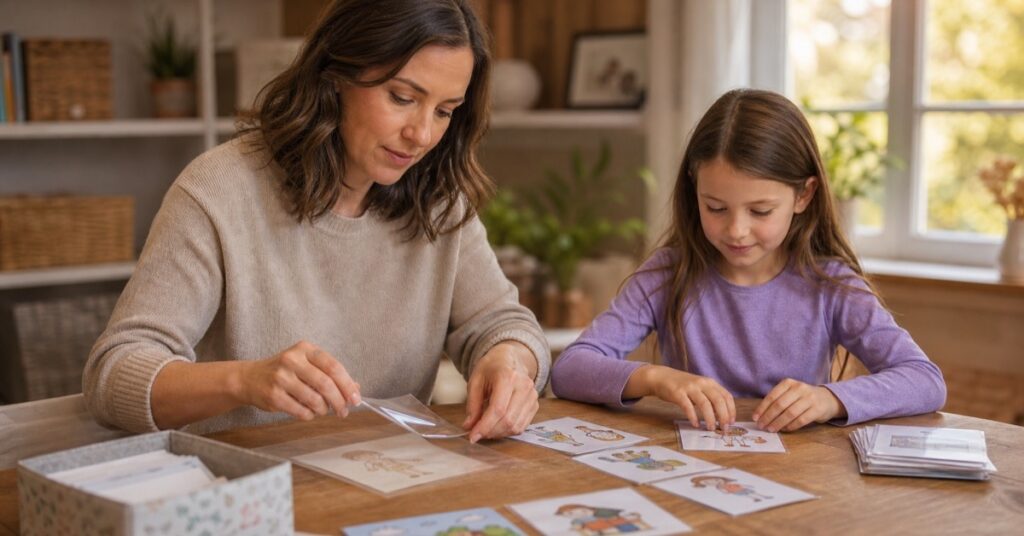
The best laminator for home use is not necessarily the widest one or the machine with the biggest bundle. It is the one that fits the pages your family will actually make. A laminated morning routine card can survive a surprising amount of breakfast, backpack stuffing, and dry-erase ink.
For most families, a 9-inch laminator is wide enough for letter-size worksheets, chore charts, recipe sheets, and small visual cards. A 12- or 13-inch machine earns its extra cabinet space when you regularly make 11×17 school projects, posters, or full pouches of cards at once.
I compared current model information, manuals, supported pouch thicknesses, jam-release methods, recall boundaries, and recurring use problems for this guide. These are research-based picks, not products I am claiming to have personally tested in my home.
Short answer: For most families, the best laminator for home use is the compact Amazon Basics 9-Inch. The Crenova 13-Inch is the most versatile pick and the only model here with a confirmed 30-minute auto shutoff. Choose the Amazon Basics 12-Inch or Bonsaii L318-A only when wider schoolwork is a real part of your routine. The Scotch TL901X is a simple, familiar option for occasional use.
One non-negotiable: a thermal laminator is an adult-operated appliance. Children can choose pictures, arrange paper cards, and organize fully cooled results, but they should not handle the hot machine, fresh pouches, power cord, scissors, or cutters.
Our top picks at a glance
| Pick | Best for | Useful features | Skip it if… |
|---|---|---|---|
| Crenova 13-Inch Touchscreen | One machine for routine cards through 11×17 projects | About 90-second warm-up, 3–6 mil support, ABS release, 30-minute auto shutoff | You have tight desk and storage space |
| Amazon Basics 9-Inch | Budget-friendly letter-size pages and small cards | Compact body, 3/5 mil settings, manual release | You need 11×17 capacity or auto shutoff |
| Amazon Basics 12-Inch | A wider entry without a complicated feature set | 12-inch width, 3/5 mil settings, manual release | Everything you make fits letter-size pouches |
| Bonsaii L318-A 13-Inch | 11×17 schoolwork and batches of visual cards | 3/5 mil and photo modes, anti-jam design, 12-month machine warranty | Confirmed auto shutoff is important to you |
| Scotch TL901X | Occasional users who want two simple heat settings | Familiar controls, 3/5 mil support | You want faster warm-up or auto shutoff |
How to choose the best laminator for home use
A wider opening does not make a letter-size routine chart more durable. It only changes what can pass through the machine and how many small cards you can arrange in one pouch. Before you buy, match the opening to your largest real project.
If routine cards are part of a larger school-morning reset, our morning routine tools for ages 2–6 can help you decide what belongs on the cards before you laminate them.
Best overall
1. Crenova 13-Inch Touchscreen Laminator
Best for: families who want one machine for small cards, ordinary pages, and 11×17 projects
The Crenova is the most flexible pick here because the same opening can take an ordinary worksheet one day and an 11×17 school project the next. You can still run a letter-size visual schedule without using an oversized pouch. The wider path is also useful when you want to arrange several small cards in one pouch and reduce repeat feeds.
Its current listing supports 3–6 mil pouches and includes thermal, cold, and foil modes. The roughly 90-second warm-up is helpful during a back-to-school batch, although actual timing and finish still depend on the selected mode and materials. An ABS release gives you a way to reduce roller pressure if a pouch enters crooked.
The 30-minute auto shutoff is the feature that separates it from the other four picks. I treat that as backup protection, not permission to start a page and walk away. The machine should still be switched off and unplugged when the project is finished.
Skip it if: you laminate only a few letter-size pages each year. The larger footprint and extra modes solve problems you may not have.
Check the current Crenova price on Amazon
Price and bundle contents can change; confirm the 13-inch touchscreen model on the listing.
Best budget
2. Amazon Basics 9-Inch Thermal Laminator
Best for: letter-size routine charts, worksheets, recipe pages, and small cards
This is the practical choice for a family that wants to protect ordinary pages without giving a wide machine permanent desk space. A 9-inch opening accommodates standard letter-size laminating pouches, so it covers the routine charts, chore lists, flashcards, and reusable worksheets most homes actually make.
The controls are simple: choose the setting that matches a supported 3 or 5 mil pouch, wait for the ready signal, and feed the sealed edge first. A manual release lever can help free a pouch that starts to travel incorrectly. Release is a recovery tool, not a promise that the machine cannot jam; a pouch can still cause trouble when it is cut before feeding, sent open-edge first, overfilled, or allowed to enter at an angle.
The exact manual calls for a flat, heat-resistant surface and about 20 inches of unobstructed space behind this model. That number is not a universal rule for every laminator, but it is a useful reminder to budget for the entire sheet coming out—not just the machine body.
Skip it if: 11×17 pages are already on your project list, or you know you will worry about the lack of automatic shutoff.
Check the current Amazon Basics 9-Inch price
Confirm the 9-inch model before ordering; the 12-inch version appears in the same product family.
Best 12-inch value
3. Amazon Basics 12-Inch Laminator
Best for: families who need a wider path but prefer uncomplicated controls
The 12-inch Amazon Basics model keeps the same straightforward approach as the smaller pick while creating room for legal-size material, wider classroom pages, and 11×17 sheets fed along the 11-inch edge. It is a good middle ground when 9 inches is genuinely limiting but a 13-inch touchscreen machine feels like more appliance than you need.
It supports 3 and 5 mil pouches and provides a release lever for a misfeed. Warm-up takes a few minutes, so I would turn it on only after the paper, pouch, and clear cooling space are ready. That keeps the machine from sitting hot while you finish trimming cards or search for the next worksheet.
The tradeoff is simple: this model takes more room than the 9-inch version and does not have a confirmed auto shutoff. If every project you can name fits a letter-size pouch, the extra width will not improve your finished pages.
Skip it if: you are buying for an imagined future poster rather than projects your family or classroom already makes.
Check the current Amazon Basics 12-Inch price
Exact model checked: the 12-inch/VL303 version.
Best for 11×17 projects
4. Bonsaii L318-A 13-Inch Laminator
Best for: school posters, certificates, classroom visuals, and batches of routine cards
The Bonsaii L318-A makes the most sense when wide projects are the reason you are shopping in the first place. Its 13-inch opening handles 11×17 material and gives you room to arrange more small cards in a single pouch. For a homeschool family or teacher preparing a full visual schedule, fewer repeated feeds can be more valuable than an extra electronic mode.
The official product information lists 3 mil, 5 mil, and photo settings, an anti-jam mechanism, a downloadable manual, and a 12-month machine warranty. Warm-up is listed around three to four minutes. Some bundles may include a cutter, corner rounder, or starter pouches, but accessories can change; treat the current listing as the source for what is actually in the box.
Bonsaii uses “Never Jam” language in some product material. I would read that as the name of an anti-jam design, not a literal guarantee. Even a well-designed machine can struggle with a cut-open pouch, incompatible thickness, a crooked feed, or a loose item inside the film.
Skip it if: most of your work is letter size and the cutter or accessory bundle is doing more to persuade you than the 13-inch opening.
Check the current Bonsaii L318-A price
Confirm model L318-A and the current bundle contents before ordering.
Best simple pick
5. Scotch TL901X Thermal Laminator
Best for: occasional users who prefer two familiar pouch settings
The Scotch TL901X is the least complicated pick in this guide. Select the setting for a supported 3 or 5 mil pouch, wait for the ready light, and feed the sealed edge first. For ordinary visual schedules, homework pages, bookmarks, and flashcards, that may be all the machine you need.
I rank it behind the Amazon Basics 9-Inch because it warms more slowly and does not have a confirmed auto shutoff. It can still be a reasonable fit for someone who laminates only a few pages at a time and values familiar, easy-to-read controls over speed.
Low-review reports include jams, heat odor, and early failure. Those reports do not establish a model-wide defect, but they are a good reason to stay with the machine, use only supported materials, and stop immediately if heat or odor becomes abnormal. A new-appliance smell is not a reason to ignore smoke, melting, sparks, popping sounds, or a persistently burning cord or plug.
Skip it if: you want quick batch work, a wider opening, or auto shutoff as a backup feature.
Check the current Scotch TL901X price
Confirm TL901X on the listing and on the unit you receive.
3 mil vs. 5 mil for routine cards
A 3 mil pouch keeps a worksheet flexible and is usually the less expensive place to start. It works well for full-page routines, meal planners, and sheets that will live in a binder.
A 5 mil pouch produces a stiffer result, which can feel better for cards that children pick up repeatedly or store on a ring. It does not make a card impossible to bend, and it cannot repair a seal that was cut away. The machine manual must support the thickness you choose; do not stack pouches to improvise a thicker finish.
If you want to use dry-erase markers, test the marker on one finished corner first. Erasing depends on the marker, pouch surface, and how long the ink sits—not just the mil number.
How to cut routine cards without opening the seal
Cards often peel because the clear border was cut off, not because the pouch was too thin. The order of operations matters.
- Cut the paper cards first. Finish the paper rectangles before they go into the pouch.
- Leave visible gaps. Arrange several cards inside one intact pouch with clear space between them.
- Feed the sealed edge first. Keep the full pouch flat and centered. Do not cut the pouch into small pieces before it enters the machine.
- Let the sheet cool flat. Put it on a heat-resistant surface beyond a child’s reach until it is completely cool.
- Cut through the clear gaps. Leave a continuous, visible plastic seal around every paper card rather than trimming tight to the paper.
- Round the corners last. A compatible corner rounder can soften sharp corners, but it cannot restore a border that has already been cut open.
There is no single border measurement that fits every pouch manufacturer. Follow the pouch instructions when they give an exact allowance; otherwise, the practical goal is an unbroken clear seal surrounding the paper.
A safer family laminating setup
When I make visual tools with my daughter, the child-friendly jobs are choosing pictures, arranging the paper, and sorting finished cards after they have cooled. Plugging in the machine, feeding pouches, clearing a jam, and cutting remain adult jobs.
Before you switch the machine on
- Use a flat, stable, heat-resistant surface with ventilation.
- Keep the machine, cord, hot pouch, scissors, and cutter beyond a child’s reach.
- Clear a straight feed path in front and a full-sheet exit path behind.
- Match the pouch thickness to the exact model and selected setting.
- Keep the pouch intact and feed the sealed edge first.
- Stay with the machine while it is heating and running.
- Turn it off and unplug it after use, even when it has auto shutoff.
Stop using it immediately if you see smoke, sparks, melting, a deformed housing, or hear popping, or if there is a persistent burning smell or unusually hot plug. Do not power it again “just to check.” Follow the exact manual for jam-release steps because manual release and powered reverse systems do not work the same way.
Visual cards can also support a calm-down corner, but the child should interact with the finished cards—not the equipment used to make them.
What should never go through a thermal laminator?
Do not assume that every paper-like object is safe to heat. Avoid laminating:
- Social Security cards, passports, currency, or other security documents
- thermal receipts, tickets, and heat-sensitive labels
- ultrasound prints or other heat-sensitive images
- cards with magnetic strips or electronic components
- materials containing staples, paper clips, metal, or sharp pieces
- an irreplaceable certificate, photograph, or original piece of children’s art
- anything thicker than the machine and pouch instructions permit
Scan or photograph treasured artwork before deciding whether to laminate a copy. If a page only needs to live in a binder, a page protector may solve the problem without making a permanent change. And if you make only one to five charts occasionally, self-sealing sheets may be easier to store than another appliance.
For school and daycare gear that needs identification rather than a plastic coating, see our guide to daycare labels for bottles, clothes, and lunch gear.
How we researched laminators for home use
I matched exact current models to their Amazon pages, model information, manuals, supported widths, pouch settings, release methods, warranty or support information, and recall boundaries. I also reviewed recurring low-rating problems for issues such as jams, uneven heat, odor, and early failure. Isolated complaints were treated as warning signals to investigate—not automatic proof that an entire model is defective.
I did not publish live star ratings, review counts, sales estimates, or exact prices because those change. Availability, bundles, and product details can change too, so confirm the model and current listing before ordering.
Frequently asked questions
What is the best laminator for home use for routine cards?
For most families, a 9-inch model is enough because routine cards are usually arranged on letter-size paper or inside letter-size pouches. The Amazon Basics 9-Inch is the compact budget pick; move to 12–13 inches only when you need wider sheets or want to arrange a larger batch in one pouch.
Do I need a 13-inch laminator for 11×17 paper?
You need an opening that accommodates the paper’s 11-inch edge and the matching pouch. A 12-inch model can usually provide that space; a 13-inch model gives more working room. Confirm the exact model’s maximum pouch width before buying.
Is 3 mil or 5 mil better for reusable cards?
Choose 3 mil for a more flexible, lower-cost page and 5 mil for a stiffer handheld card, provided the machine supports it. Neither thickness replaces a continuous sealed border.
Should I cut routine cards before or after laminating?
Cut the paper cards first, arrange them with gaps inside one complete pouch, laminate the full pouch, let it cool, and then cut the finished cards apart through the clear spaces. Do not cut an empty pouch into individual pieces before feeding it.
Can children use a thermal laminator?
A thermal laminator should be operated by an adult. Children can choose images, arrange unlaminated paper, and organize finished cards only after the materials and machine are completely cool.
Does jam release mean the machine cannot jam?
No. ABS, release, reverse, and anti-jam features help recover a misfeed. Correct pouch thickness, a straight feed, an intact pouch, and sealed-edge-first orientation are still necessary.
The bottom line
The best laminator for home use depends on the largest project you make regularly. For ordinary routine cards, worksheets, and crafts, the Amazon Basics 9-Inch is the space-conscious choice. Choose the Crenova 13-Inch when you want one machine that can also handle 11×17 work and you value auto shutoff as a backup. The Amazon Basics 12-Inch and Bonsaii L318-A are for families who can name the wider projects they will make—not simply for shoppers who prefer the largest option.
Whichever machine you choose, the best family setup keeps the hot work with the adult and the creative work with the child.