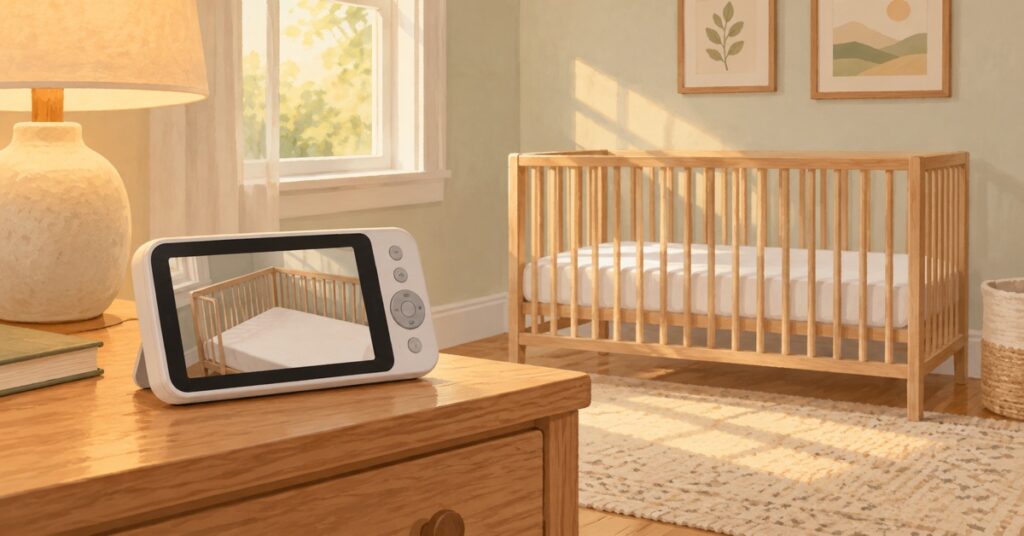
A research-based guide to the best baby monitors in 2026 — which type you actually need, which ones are overkill, and the honest truth about whether you need one at all in those first few months.
At nearly $350, the Nanit Pro pairs a full wall mount and breathing band with sleep analytics. A roughly $60 HelloBaby takes the opposite approach: a simple dedicated monitor with far fewer extras. The price difference is large; the better fit depends on how much data you actually want.
What I wish someone told me: the best baby monitor is the one that helps you sleep without making you more anxious. For some parents, that means smart sleep tracking. For others, it means a simple screen on the nightstand and nothing else.
Do You Actually Need a Baby Monitor?
Nobody talks about this, but — most parents do not need a baby monitor for the first several months.
The AAP recommends room-sharing (not bed-sharing) for at least the first 6 months. If your baby sleeps in a bassinet next to your bed — which is what we did with all three kids — you do not need a monitor during that stretch. You are right there.
You need a baby monitor when your baby moves to their own room, or if you want to check on naps while you are downstairs. Do not rush to buy one before birth — it is one of the items you can wait on and figure out later.
WiFi vs Non-WiFi: The Privacy Question
Before we talk about specific monitors, you need to make one decision: do you want WiFi (smart) or non-WiFi (dedicated)?
WiFi monitors stream through your home network to a smartphone app. You can check from anywhere — the office, the grocery store, grandma’s house. The tradeoff: they need strong WiFi, they can be vulnerable to hacking if not secured, and many charge ongoing subscription fees for the best features.
My recommendation for most families: start with non-WiFi. It is simpler, more reliable, more private, and cheaper. If you specifically need remote viewing (working parents, frequent travel), then WiFi makes sense — just change the default password, enable two-factor authentication, and keep firmware updated.
Best Baby Monitors 2026: Our Picks
Best Overall: Infant Optics DXR-8 Pro (~$110-170)
The dedicated parent unit is the main reason the Infant Optics DXR-8 Pro suits night duty: no unlocking a phone, waiting for an app to load, or letting other notifications cover the feed. It is designed to stay simple.
Why it wins:
- Non-WiFi, hack-proof — closed-loop FHSS system. Only your parent unit can receive the signal.
- Active Noise Reduction (ANR) — a patented feature that filters out fans, air purifiers, and white noise machines so you hear your baby, not background hum. If you run a sound machine in the nursery, this can help separate your baby’s sounds from the background hum.
- Interchangeable lenses — zoom lens included, wide-angle lens available separately. Lets you customize the view for your specific room layout.
- 5″ HD display (720p) with remote pan/tilt/zoom, two-way talk, night vision, room temperature sensor, feeding timer.
- Expandable to 4 cameras — great if you plan to have more kids or want to monitor multiple rooms.
The catch: Battery life is only about 6 hours — not enough for a full night. Keep it plugged in at the bedside. Also, no lullabies and no split-screen (you need the pricier DXR-8 PRO SS for that).
Best Budget Video: HelloBaby HB6550 (~$60-100)
The HelloBaby HB6550 is a practical monitor to leave at a grandparent’s house. There is no app to learn or WiFi password to enter, and its lower price makes an accidental knock less painful. Plug it in and you are good to go.
Why it wins:
- Amazon’s #1 best-selling baby monitor — trusted by millions of parents for a reason.
- 30-hour battery in voice mode, 16 hours in video — one of the longest in the category. You can go a full night and then some without charging.
- 355° horizontal rotation — one of the widest pan ranges available. You can see the entire room without moving the camera.
- No WiFi, no app, no subscription — plug in and it works in seconds.
- 5″ screen, two-way talk, night vision, temperature monitor, 8 lullabies, VOX sound-activated mode.
The tradeoffs: Video resolution is 480p — noticeably softer than 720p or 1080p monitors. You can see your baby fine, but details are not crisp, especially in night vision. The two-way talk speaker on the camera end is also pretty quiet — not loud enough to soothe a fussy baby from across the room. For the price? Totally fair tradeoffs.
Best Smart Monitor: Nanit Pro (~$250-400)
Nanit’s sleep data is the main draw: it shows when a baby wakes, how long they sleep, and how patterns change week to week. That can help parents see a rhythm instead of guessing, but the dashboard can also invite repeated checking. Think about whether more data will reassure you or make you more anxious before you buy.
Why it wins:
- 1080p Full HD video — the sharpest picture of any baby monitor in this roundup, day and night.
- Breathing motion tracking — the included Breathing Band (Small size, 0-3 months) works with the camera to detect breathing patterns without any sensors touching your baby. Larger sizes sold separately.
- Sleep analytics — tracks sleep duration, quality, and patterns over time. Cry and cough detection sends smart alerts to your phone.
- View from anywhere — 256-bit AES encryption with two-factor authentication. Split-screen for two cameras.
- HSA/FSA eligible — you may be able to use pre-tax health dollars, which could save you 20-30%. Check with your provider.
Worth knowing: This is the most expensive option, and the full experience requires a paid subscription after the free 6-month Sleep Plan trial. The Memories Plan (video history + extra users) is $120/year. There is no dedicated parent unit — you must use your phone, which means your phone battery drains faster and notifications compete with everything else on your screen. It also requires solid WiFi — if yours is spotty, you will hate this monitor.
Best for Health Tracking: Owlet Dream Duo 2 (~$300-350)
The Dream Sock adds live health readings, but both fit and your response to data matter. The sock needs to be fitted correctly to stay in place and produce useful readings, while live pulse-ox numbers may reassure some parents and invite repeated checking for others.
Why it wins:
- FDA-cleared Health Notifications — Dream Sock measures pulse rate and blood oxygen saturation and can notify you when readings move outside preset ranges. The FDA-cleared use is for healthy babies aged 1–18 months who also weigh 6–30 lb.
- Health notifications — the Base Station and app can alert you to readings outside preset ranges when enough data are available. An alert prompts you to check your baby; the device does not guarantee a notification for every event.
- 1080p HD camera (Cam 2) with cry, sound, and motion detection. Temperature and humidity monitoring.
- No subscription required for core features — live health readings, HD video, sleep tracking all included. (Owlet360 premium plan is optional.)
- HSA/FSA eligible.
Before buying for a newborn: Reaching 6 lb does not make a baby under 1 month eligible for the FDA-cleared Health Notifications. Owlet describes a separate 0–1 month app experience that does not include those FDA-cleared features. Dream Sock is not intended for babies with previously diagnosed heart or respiratory conditions. If your baby needs medical monitoring, follow their clinician’s plan.
The tradeoff: This bundle costs considerably more than a basic video monitor, and the camera must be positioned manually. Think about whether seeing live readings would help you or lead to repeated checking. Dream Sock does not detect or reduce SIDS and does not replace adult supervision or safe sleep practices.
Update: Owlet has launched a newer Dream Duo with the Dream Sight camera (2K resolution, dual-band WiFi). If buying new, check whether the newer bundle is available at a similar price.
Best Audio-Only: VTech DM111 (~$20-25)
An audio-only monitor can feel almost too simple, but that simplicity is what earns the VTech DM111 a place here. For a hotel, a friend’s house, or a backyard dinner party, it covers the basic job without adding another screen or app.
Why it wins:
- Under $25 — the most affordable baby monitor that actually works well.
- DECT 6.0 encrypted digital signal — interference-free, private, no WiFi needed.
- 1,000-foot range — covers any normal home, including the yard.
- 5-level LED sound indicator — see how loud your baby is even when the parent unit is muted.
- Belt clip — clip it to your pocket and move around hands-free.
The obvious limitation: No video, no two-way talk, no lullabies, no temperature monitoring. The original version uses AAA batteries; a newer version has a rechargeable battery lasting about 8 hours. This does one thing — lets you hear your baby — and does it well.
Best for: Grandparents’ house, travel backup, or parents who find that staring at a video feed all night increases their anxiety rather than reducing it. Also great as a nightstand companion alongside a WiFi monitor — simple, reliable, always on.
Quick Comparison
| Monitor | Price | WiFi | Video | Best For |
|---|---|---|---|---|
| Infant Optics DXR-8 Pro | $110-170 | No | 720p | Most families |
| HelloBaby HB6550 | $60-100 | No | 480p | Budget / grandparents |
| Nanit Pro | $250-400 | Yes | 1080p | Data-driven parents |
| Owlet Dream Duo 2 | $300-350 | Yes | 1080p | Health tracking |
| VTech DM111 | $20-25 | No | None | Travel / backup |
What to Skip
- Breathing monitors for healthy babies Skip — The AAP does not recommend routine use of home breathing monitors for healthy infants as a strategy to prevent SIDS. If your pediatrician specifically recommends one for a medical reason, that is different. But do not buy a $400 monitor out of fear alone — talk to your doctor first.
- 4K resolution monitors Skip — You are watching a sleeping baby in a dark room, not streaming a movie. 720p is plenty. 1080p is nice but unnecessary. 4K is pure marketing.
- Monitors with too many subscription features Skip — If the best features are locked behind a paywall, the sticker price is not the real cost. Add up the total over 2 years before you decide.
The Bottom Line
If you are reading this while pregnant: do not buy a baby monitor yet. Wait until your baby moves to their own room, then choose based on what you actually need — not what the registry checklist tells you.
If you need a recommendation right now: the Infant Optics DXR-8 Pro is the best monitor for most families. Reliable, private, no subscriptions, and good enough for everything you will actually use it for. If budget is tight, the HelloBaby HB6550 does the job at half the price. If you are building your registry, add the Infant Optics — it is the one gift people will thank you for putting on there.
The fancy monitors are nice. But your baby does not care about sleep analytics. They care that you show up when they need you.
Building your newborn gear list? See our complete newborn must-haves checklist for every essential with prices.
Packing for the hospital? Check our hospital bag checklist for what to bring for mom, baby, and partner.
Setting up the nursery? See our newborn station setup guide for practical layout ideas.
Trying to budget? Our budgeting for baby guide shows where to splurge and where to save.
Need sleep help? Read 10 Baby Sleep Essentials That Saved Our Nights.
This article is for informational purposes only and is not a substitute for medical advice from your pediatrician. Product prices are approximate and may vary by retailer. We recommend checking the latest prices before buying. FDA clearance applies to a device’s specified use; it is not a claim that a monitor prevents SIDS. Follow AAP safe sleep guidance regardless of which monitor you use.